Rapid Reply
A draft for a question, only from your own knowledge. First Good, then Send.
Voor kletskousen: Bel met de B03M-babbel-B0X!
010-8700808Fast, but still you
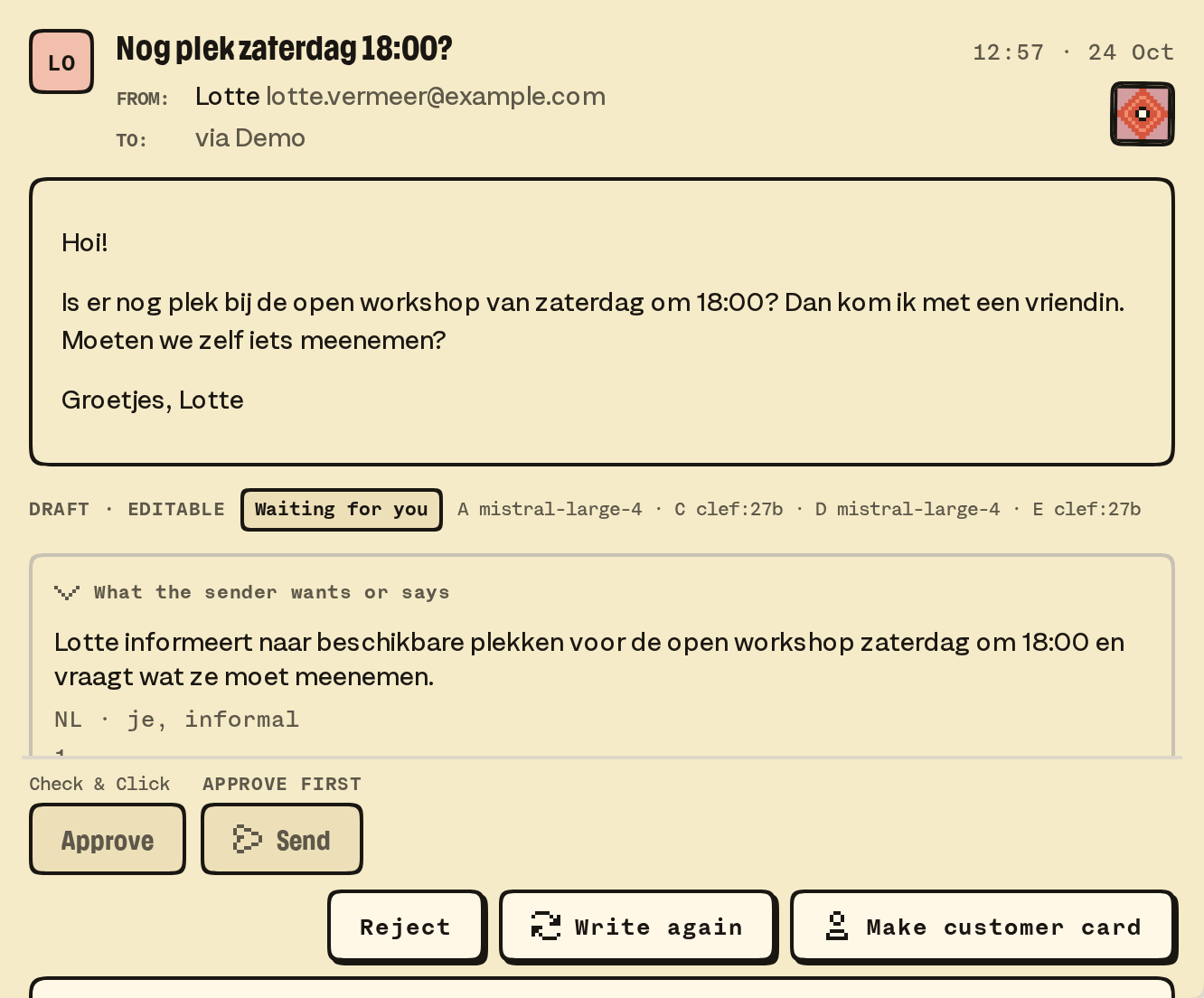
Check & Click: a draft only goes out after your check (Good) and your click (Send).
Rapid Reply is the tab in Messages with questions your knowledge base knows something about. That's where you let B03M write a draft. Sending is up to you.
How it works
- Ask for a draft: for one message, or Write the next five. Only for your own messages, or those without a handler.
- B03M searches your knowledge base, by text and by meaning, and writes a draft. The cards it's based on sit alongside, so you can check the math.
- Read and adjust. A card with a file can send that file along as an attachment.
- Good: you approve the text that's there. Change something after that, and the approval is withdrawn. Above the button sits the label Check & Click: that's the name of this guardrail. On your phone it's in the fixed bar at the bottom.
- Send: only after Good. Changed something without approving it? Then the tooltip on Send says: "Check & Click: approve first, then it can be sent." A mail goes through your own mail server, from your address with the subject of the question, and a copy in your Sent folder. A reply on WordPress goes back to your site.
No knowledge, no draft
If your knowledge base has nothing on it, B03M writes nothing. The message gets the note "No knowledge found for this." A model that kindly makes something up sounds exactly as convincing as a model that knows. Your client only notices the difference once the answer has been sent.
Your voice
Every draft follows your Voice cards: how you write, and what you never write. If a draft breaks a form rule anyway, it gets the flag Form rule broken. More about your voice.
Who may do what
Whoever may write in Messages may ask for, adjust, approve and send drafts. A guest never. An empty answer can't be approved.
What it doesn't do (yet)
- Sending by itself. Not after an hour, not in bulk, not even when the draft is perfect.
- A keyboard shortcut for Good or Send: that's missing on purpose.
- Taking back a sent answer.
B03M gaat stap voor stap open. Kies je lijst, dan nodigen we je uit zodra er plek is.
Laatst bijgewerkt op 27 november 2026.